THE APP
Quiet by design.
Dark, native, and out of the way — the interface exists to show your screenshots, not to compete with them.
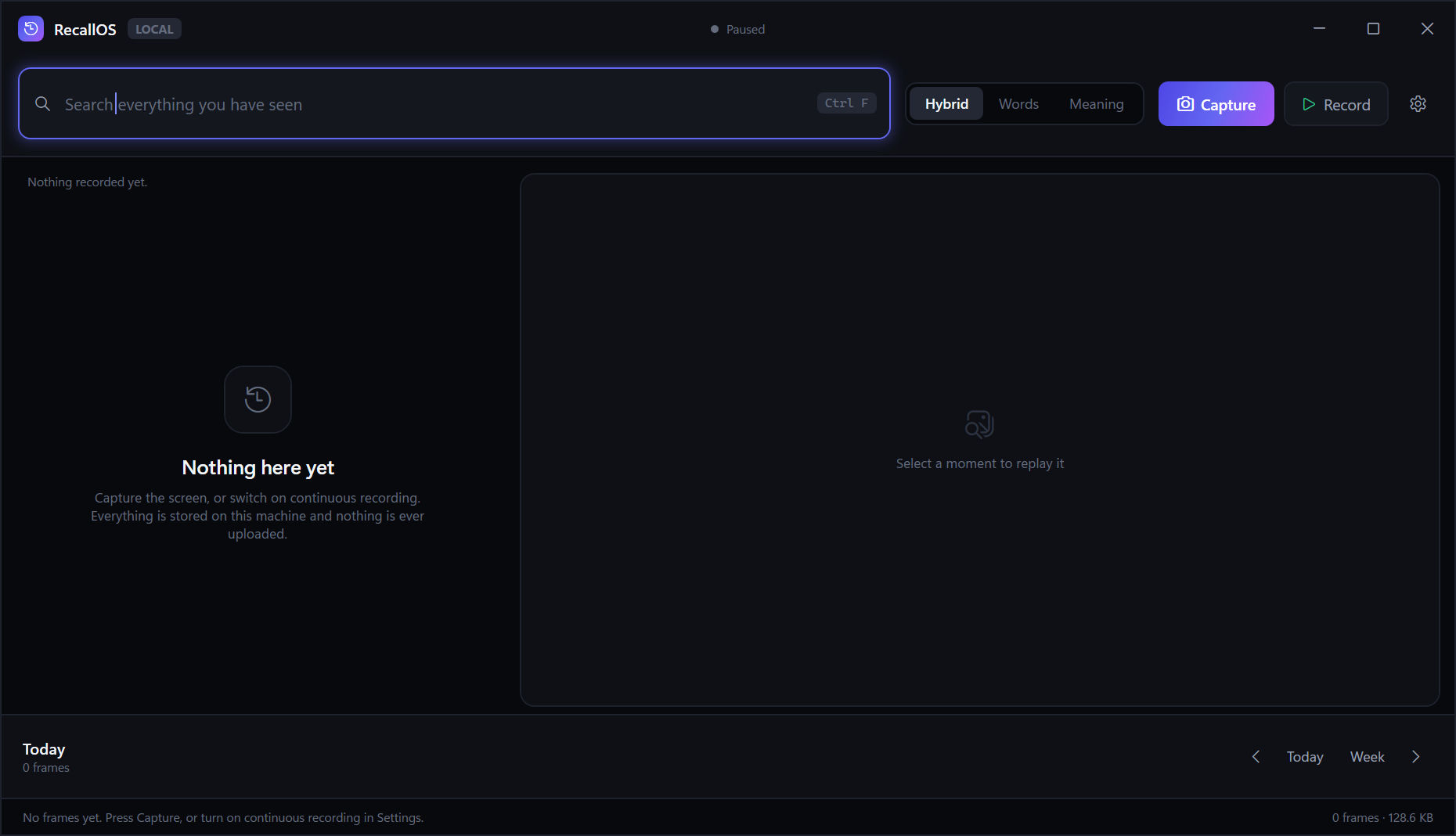
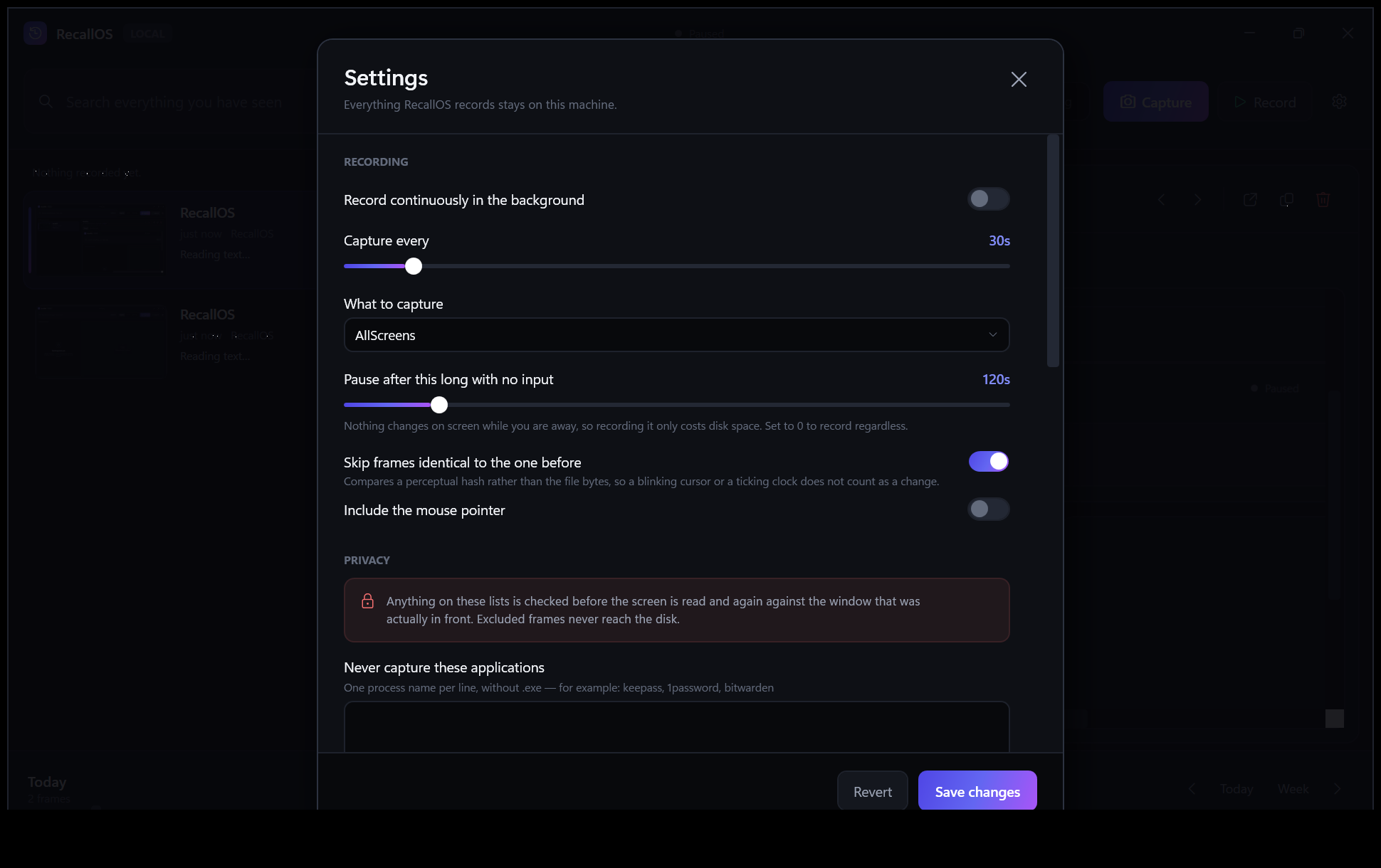
RecallOS records what you see, reads the text on it, and makes every moment searchable — by the words that were on screen, or just by what you meant.
Four stages, split so the slow ones never block the fast ones. Pressing Record starts a loop that keeps going until you stop it.
Win32 BitBlt over the virtual screen, a single monitor, or just the focused window. DPI-aware, so scaled displays stay sharp.
Tesseract reads the text with per-word geometry, on a background queue. A frame is visible the instant it is captured, long before its text arrives.
Text is split into paragraph-sized chunks, indexed in SQLite FTS5 and embedded as vectors so both exact words and rough meaning can find it.
Search, scrub the activity timeline, then replay the original screenshot beside the text that was on it, or full screen.
Searching your history only helps if you already know what to search for. RecallOS 2 reconstructs the episode instead: when it happened, what you did in what order, what you read, and what you were trying to find out.
What did I conclude about Stripe fees?
Stripe charges 2.9% plus 30 cents per successful card charge in the United States.
Pricing — Stripe · 9:20 AMThe interchange plus model is cheaper above roughly $80,000 a month.
Payment fees compared — Stack Overflow · 9:29 AMRecallOS does not write the answer. There is no language model here and no outbound request, so it cannot tell you what you concluded — and a plausible paragraph generated over your own memory would be indistinguishable from a real one and occasionally wrong. Every line it shows you was read from your own screen, word for word, and says which frame it came from.
Projects, people, sites, documents and topics, and what appeared alongside what. Pick one thing and get the rest — and every session it featured in.
Arranged the two ways people actually reach for a memory: by when it happened, and by what it was about. Every shelf is also somewhere to forget from.
A tool that records everything will eventually record a password, a card number or an API key — and you will not be watching when it does. So RecallOS removes them for you, from the picture and from the search index.
A live mock-up of the real query syntax, running on sample frames. Filters, phrases, dates and the three ranking modes all behave as they do in the app.
Dark, native, and out of the way — the interface exists to show your screenshots, not to compete with them.
A tool that watches your screen has to be accountable to the person it watches. These are guarantees enforced in code and covered by tests — not promises.
v1.0 is out and complete. Here is what it already does, and what is being built next.
Download it, run it, create your account. Nothing ever leaves your PC.
Windows 10 or 11 · 77 MB · Installs in seconds with no administrator rights, adds Start Menu and Desktop shortcuts, and opens when it finishes. Prefer no installer? Download the portable version.